 extraDisp
Second monitor app · Android + Windows
Use your Android tablet as a second monitor for Windows
extraDisp streams a Windows display to your Android tablet or phone over Wi-Fi or a USB cable, and your taps come back to the PC as mouse clicks. Add the virtual display with one button and Windows extends the desktop onto the tablet, without an HDMI dummy plug.
- Windows 10 / 11
- Android 7+
- Wi-Fi
- USB cable
- Touch as mouse
- Windows 10 (1809+) and 11, 64-bit
- Wi-Fi or USB cable
- One-time $2.99, no subscription
- No account, no ads
Drag the window from monitor 1 onto the tablet.
Display 2 is empty. Drag the window here.
Encoding a 1920 × 1080 frame…
Tap or swipe on the tablet to see the touch and scroll messages the app sends. Frame size comes from your browser's JPEG encoder at the same quality setting, so treat the bandwidth as an estimate.
How it works
How to use a tablet as a second monitor in four steps
You need a Windows PC, an Android tablet or phone, and either the same Wi-Fi network or a USB cable. Setup takes a few minutes the first time.
Install both apps
Get extraDisp on the tablet from Google Play. On the PC, download the free Windows server from this page, extract the ZIP and run extraDisp.exe.
Add a second display
Click Setup Virtual Display in the server window. It downloads the open-source IddSampleDriver, asks for admin approval and adds a 1920 × 1080 virtual monitor. Place it in Windows Settings > System > Display.
Start the server
Pick the virtual monitor in the Monitor list, set quality and FPS, then click Start Server. The window shows the address to use, such as 192.168.1.20:8765.
Connect the tablet
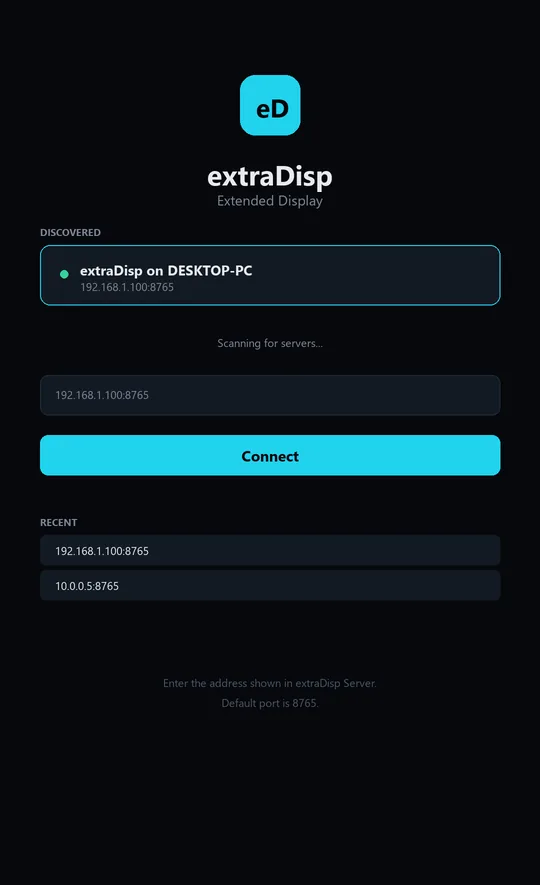
On Wi-Fi, open extraDisp and tap your PC in the list or type the address. On USB with USB debugging on, the server opens the app on the tablet and connects it for you.
Read the full setup guide, with USB debugging and fixes for common problems →
Wi-Fi or USB
Use your phone as a second monitor wirelessly or over USB
Both modes stream the same picture. Wi-Fi needs no setup beyond the address. USB needs Android's USB debugging and Google's platform-tools (adb) on the PC, and in return the server opens and connects the app for you.
| Wi-Fi | USB cable | |
|---|---|---|
| You need | PC and tablet on the same network | A USB cable, USB debugging on the tablet, adb on the PC |
| How it connects | The app scans the network, or you type the address shown in the server | The server runs adb reverse tcp:8765 tcp:8765 and the app connects to localhost:8765 |
| Who opens the app | You | The server wakes the screen and launches extraDisp |
| Tablet screen | Kept awake while the app is open | Also set to stay awake while plugged in |
| Good for | Moving the tablet around, no cable | Keeping traffic off Wi-Fi and the tablet charging |
What the server log shows on USB
These are the actual lines extraDisp Server writes when it finds a tablet over USB and you click Start Server. If you see "unauthorized" instead, accept the USB debugging prompt on the tablet.
Specs
Second monitor specs, taken from the app's code
Every number below comes from the extraDisp source or its store listing. The stream is a sequence of JPEG images, so picture quality and bandwidth follow the quality and FPS you choose.
| Setting | Value | Where you change it |
|---|---|---|
| Stream format | JPEG frames over WebSocket | Fixed |
| Port | 8765 (default) | Server window |
| Image quality | 10 to 100, default 70 | Server window or the app's settings sheet |
| Frame rate | 1 to 60 fps, default 30 | Server window or the app's settings sheet |
| Virtual display | 1920 × 1080 | Setup Virtual Display, Add and Remove buttons |
| Resolution | Any mode the chosen monitor reports | App settings sheet |
| Mouse pointer | Drawn into every frame | Always on |
| Touch | Tap = left click, drag = click-and-drag, swipe = mouse wheel | Always on |
| Reconnect | Up to 50 automatic tries, 1 to 5 s apart | Automatic, then a Reconnect button |
| Tablet display | Landscape, full screen, screen kept on | Automatic |
| Windows | Windows 10 version 1809 or later, Windows 11, x64 | Requirement |
| Android | Android 7.0 or later | Requirement (Play listing) |
| Downloads | ZIP 27.9 MB · MSIX 29.6 MB | Download section |
Features
What this second monitor app for Android does
A real extended desktop
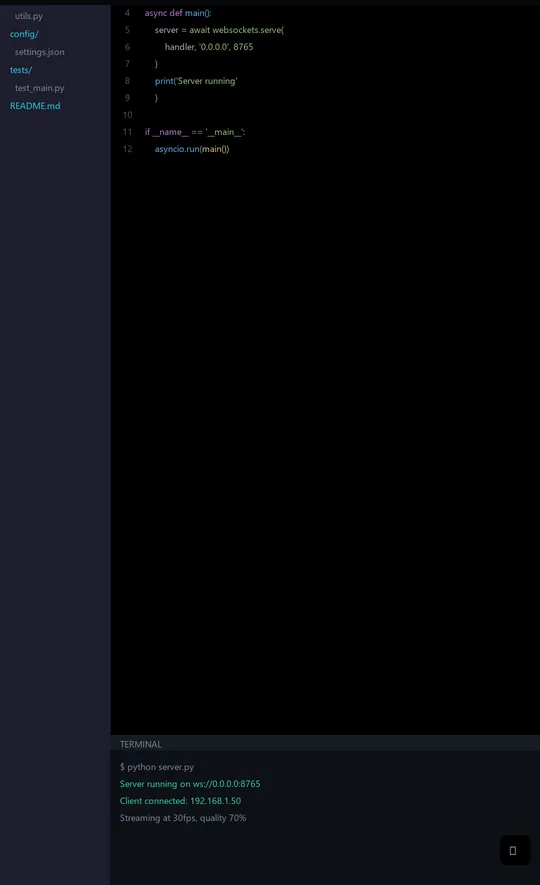
Setup Virtual Display installs IddSampleDriver and adds a 1920 × 1080 monitor that Windows lists in Display settings. Drag windows onto it like any screen. Add and Remove buttons manage it later.
Or mirror any monitor
Pick any monitor from the list, including your main screen, to show it on the tablet. Handy for watching a render or a dashboard from across the room.
Touch works as a mouse
Tap to click, drag to move windows or select text, swipe to scroll. Touches map to the exact spot on the streamed monitor.
Settings on the tablet
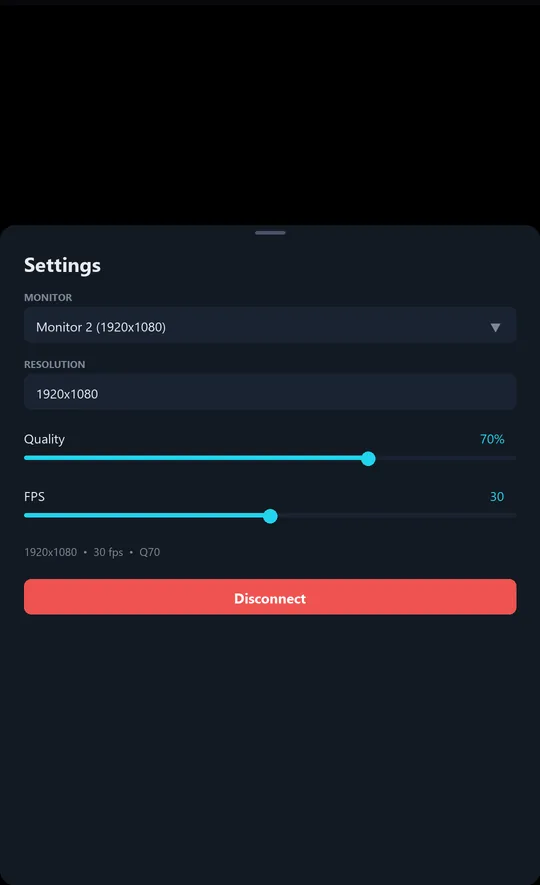
The small gear in the corner opens monitor, resolution, quality and FPS controls, plus Disconnect. Changes apply while the stream keeps running.
Reconnects on its own
Dropped connections are retried automatically. After a reboot or an app update, a background service reconnects to the last PC it was sent to over USB or found on the network, and the connect screen keeps your 10 most recent addresses.
Phone remote control, the other way round
The Remote Control button shows your phone's screen in a window on the PC and sends clicks, scrolls and keys back over ADB, at up to 5 frames per second.
Wireless ADB launch
Click Enable WiFi ADB once while the cable is in. After that, Connect WiFi wakes the tablet and opens extraDisp over the network.
Stays on your network
The picture goes straight from the PC to the tablet. No account, no ads, and the Play listing's data safety section says the app collects no data.
Comparing apps
Looking for a spacedesk alternative? Check these facts first
If you are comparing extraDisp with spacedesk or another second screen app, here is exactly what extraDisp does and doesn't do, so you can line it up against their current pages.
- A $2.99 Android app with a free Windows server. One payment on Google Play, no subscription.
- Wi-Fi and USB. USB runs through adb, Android's own debugging bridge, so nothing extra goes on the tablet.
- A true extended display through the one-click virtual monitor, or a mirror of any monitor.
- Touch as mouse input, with the PC's pointer drawn on the tablet.
- Account-free and ad-free.
- For Mac, Linux, Chromebook or iPad. The server runs on Windows and the viewer on Android only.
- A gaming display. Each frame is a JPEG image, which suits documents, chat, dashboards and video better than fast games.
- A remote desktop over the internet. It is built for one room: same network or a cable.
- A keyboard on the tablet. Touch sends left clicks and scrolling. Type and right-click with the PC's keyboard and mouse.
- Several independent screens. More than one device can connect, but they all show the same monitor.
Download
Download extraDisp for Android and Windows
You need both parts: the Android app shows the screen, the Windows server captures and sends it.
extraDisp - Second Monitor
$2.99 one-time
- Android 7.0 or later, phone or tablet
- No ads, no account, no in-app purchases
- Landscape full screen with the screen kept on
extraDisp Server for Windows
Free
Portable ZIP · 27.9 MB · recommended
Download ZIPExtract anywhere and run extraDisp.exe. Nothing to install.
MSIX package · 29.6 MB
Download MSIXInstalls like a Store app, but it is signed with a self-signed certificate, so Windows only installs it after you trust that certificate. Use the ZIP unless you know you want this.
The download is new and not yet widely known to Windows, so SmartScreen may say "Windows protected your PC". Click More info, then Run anyway. USB mode also needs Google's free Android SDK Platform-Tools; the setup guide shows where to put them.
FAQ
Questions about using a tablet or phone as a second monitor
How do I use my Android tablet as a second monitor for Windows?
Install extraDisp on the tablet and the free extraDisp Server on the PC. In the server, click Setup Virtual Display to add a second screen, select it in the Monitor list and click Start Server. Then open the app on the tablet and connect over Wi-Fi, or plug in a USB cable with USB debugging on.
Can I use my phone as a second monitor over USB?
Yes. Turn on USB debugging on the phone, install Google's Android SDK Platform-Tools on the PC, and plug in the cable. When you click Start Server, extraDisp sets up adb reverse on port 8765, wakes the phone and opens the app connected to the PC.
Can I use a tablet as a second monitor wirelessly?
Yes. Put the PC and the tablet on the same Wi-Fi network, start the server and open the app. Tap your PC if it appears in the list, or type the address the server window shows, for example 192.168.1.20:8765.
Does it extend my desktop or only mirror it?
Both. extraDisp streams whichever monitor you pick. Pick the virtual display it creates and Windows treats the tablet as an extra monitor you can drag windows onto. Pick your main monitor and the tablet mirrors it.
Is extraDisp free?
The Windows server is free. The Android app costs $2.99 once on Google Play, with no subscription, no ads and no account.
Does it work on Windows 11 and Windows 10?
Yes. The server needs 64-bit Windows 10 version 1809 or later, or Windows 11. Adding the virtual display needs admin approval once.
Can I use an old Android tablet as a second monitor?
The Play listing asks for Android 7.0 or later, so most tablets from the last several years work. An older tablet is a good fit for chat, email, notes or a monitoring dashboard, since those change slowly.
How sharp and smooth is the picture?
You choose. JPEG quality goes from 10 to 100 (default 70) and frame rate from 1 to 60 fps (default 30), from the server or from the gear button on the tablet. Higher values look better and use more bandwidth, so USB or a strong Wi-Fi signal helps at the top settings.
Is it good for gaming?
Not really. Each frame is a compressed JPEG image, which works well for documents, chat, code, dashboards and video. For fast games, use a real monitor.
Can I type or right-click on the tablet?
No. Touch sends left clicks, drags and mouse-wheel scrolling. Use the PC's keyboard to type and its mouse to right-click on the tablet screen.
Can I connect more than one tablet?
Several devices can connect to the same server at once, but they all show the same monitor and share the same quality and FPS settings.
Does extraDisp work on Mac, Linux, iPad or Chromebook?
No. The server runs on Windows only, and the viewer app runs on Android phones and tablets only.
Is my screen sent over the internet?
No. The server streams directly to the tablet on your local network or over the USB cable. There is no account, and the Play listing's data safety section states that the app collects and shares no data.
Windows says it protected my PC. Is the download safe?
SmartScreen shows that warning for new downloads it hasn't seen often. Click More info, then Run anyway to start extraDisp.exe from the ZIP. The MSIX package uses a self-signed certificate, which Windows must trust before it installs.
More by LutraApps